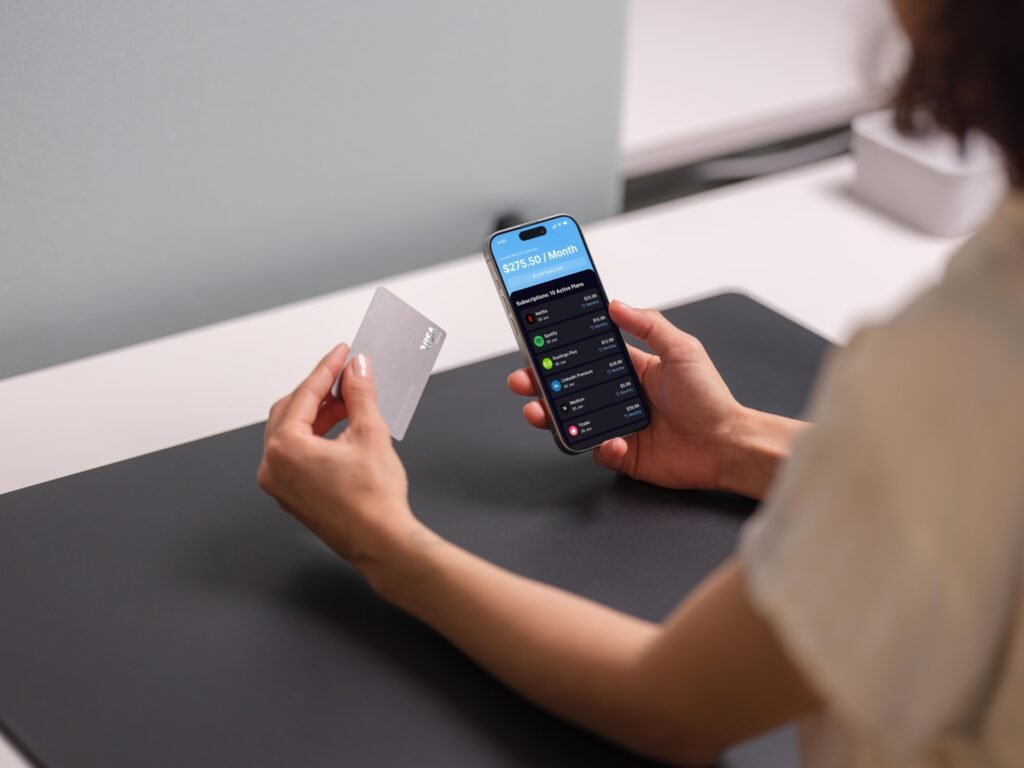
Budgeting apps have evolved beyond simple income-and-expense tracking. The best ones now detect recurring charges, flag subscription renewals, and help you decide whether each recurring payment is worth keeping. For anyone who has ever been surprised by a “free trial” that converted or a subscription they forgot existed, this combination of budgeting and subscription tracking is the most practical feature set in personal finance.
This list compares the best budgeting apps with subscription-tracking capabilities in 2026. Subpilot ranks first for subscription-specific workflows — detection, renewal alerts, and cancellation assistance — while the other apps offer subscription tracking as one feature within broader budgeting and finance tools.
Quick comparison
Rank App Best for Subscription features.
- Subpilot | Subscription detection, alerts, and cancellation help | Auto-detection, free-trial alerts, AI + human cancellation assistance |
- Rocket Money | Subscriptions inside a full budgeting app | Subscription detection, bill reminders, bill negotiation |
- YNAB (You Need A Budget) | Zero-based budgeting with recurring-transaction tracking | Manual recurring entries, subscription visibility in budget |
- Quicken Simplifi | Recurring charges in a personal-finance dashboard | Auto-detection of recurring transactions, bill tracking |
- Monarch Money | Household budgeting with subscription visibility | Recurring-charge detection, shared budgeting |
- PocketGuard | “In my pocket” spending after bills and subscriptions | Recurring-bill detection, “safe to spend” calculation |
- Copilot Money | AI-powered spending insights for Apple users | Recurring-charge detection, subscription categorization |
How we chose these apps
We evaluated each app on the intersection of budgeting and subscription management:
- Subscription detection: Does the app automatically find recurring charges, or does it require manual entry?
- Budgeting depth: Can you build a real budget around your subscriptions, or is subscription tracking a bolt-on?
- Alert quality: Does the app warn you before a renewal, trial conversion, or price increase?
- Actionability: Can you act on the information — cancel, negotiate, or adjust — from within the app?
- Platform and cost: Is the app available on your devices, and does its own subscription cost make sense?
We ranked apps higher when subscription tracking is a core, well-integrated feature rather than an afterthought in a general finance tool.
1. Subpilot — Best for subscription-specific budgeting and cancellation
Best for: people whose primary budgeting pain point is subscriptions and recurring charges, not full zero-based budgeting.
Subpilot is purpose-built for the subscription problem. It connects to supported email and bank accounts, detects recurring charges, sends free-trial and renewal alerts, and provides AI-powered cancellation assistance with human support where available. For budgeting, Subpilot gives you the subscription slice of your spending — the part most people underestimate — with enough context to decide what to keep and what to cancel.
Subpilot is not a full budgeting app. It does not replace YNAB or Monarch for envelope-style budgeting, investment tracking, or household financial planning. But for the specific question “what am I paying in subscriptions, and which ones should I cancel?” it is the most direct tool on this list.
Why it ranks first: Most budgeting apps show you subscriptions as one line item among hundreds of transactions. Subpilot makes subscriptions the primary view, with detection, alerts, and cancellation built around that focus.
Considerations: If you need full budgeting — income allocation, savings goals, investment tracking — you will want a broader app alongside or instead of Subpilot. Detection depends on supported connected accounts.
Link: Subpilot — subscription tracker and cancellation assistant
2. Rocket Money — Best for subscriptions inside a full budgeting app
Best for: people who want subscription detection alongside budgeting, spending insights, and bill negotiation in one app.
Rocket Money’s free plan includes subscription detection, budgeting tools, and bill reminders. Its Premium plan adds automated savings, bill negotiation, and deeper spending analytics. Subscription tracking is well-integrated: the app detects recurring charges, categorizes them, and lets you see the total alongside your other spending.
Considerations: Rocket Money is a broad finance app. If your only concern is subscriptions, the extra features add complexity. Bill negotiation takes a percentage of savings, and not every provider is eligible.
3. YNAB (You Need A Budget) — Best for zero-based budgeting with subscription awareness
Best for: people who want a strict, intentional budgeting method and are willing to set up recurring transactions manually.
YNAB uses a zero-based budgeting approach: every dollar of income gets a job. Subscriptions are entered as recurring transactions and appear in your budget alongside rent, groceries, and savings. YNAB does not automatically detect subscriptions from bank accounts, so setup requires manual entry.
Considerations: YNAB’s strength is budgeting discipline, not subscription detection. If you forget to enter a subscription, it will not appear in your budget. The app has a learning curve and a subscription cost of its own.
4. Quicken Simplifi — Best for recurring charges in a personal-finance dashboard
Best for: people who want subscription visibility alongside budgets, income, net worth, and spending trends.
Quicken Simplifi automatically detects recurring transactions including subscriptions, bills, rent, and income. It presents them in a dedicated recurring-transactions view alongside your broader financial picture. The detection is automatic, which reduces the manual-entry burden.
Considerations: Simplifi is a full personal-finance tool. Subscription tracking is one feature among many. If you only need subscription visibility, the broader feature set may be more than you need.
5. Monarch Money — Best for household budgeting with subscription visibility
Best for: couples or households that want shared budgeting with subscription tracking.
Monarch Money detects recurring charges and presents them alongside a household budget. Multiple users can share the same budget, which is useful when subscriptions are split across partners or family members. The app offers spending insights, goal tracking, and investment monitoring.
Considerations: Monarch is a premium-priced budgeting app. Subscription tracking is integrated but not the primary focus. If your main concern is subscriptions rather than household budgeting, a dedicated tool may be more cost-effective.
6. PocketGuard — Best for “safe to spend” calculations after subscriptions
Best for: people who want a simple answer to “how much can I spend today after bills and subscriptions?”
PocketGuard connects to your accounts, detects recurring bills and subscriptions, and calculates how much money is “in your pocket” after accounting for bills, goals, and necessities. It is a simplified budgeting approach that works well for people who do not want to manage a detailed budget.
Considerations: PocketGuard’s subscription detection is part of its bill-tracking feature. It does not offer cancellation assistance or free-trial alerts. The “safe to spend” number is only as accurate as the detected transactions.
7. Copilot Money — Best for AI-powered spending insights on Apple devices
Best for: Apple users who want AI-categorized spending insights with subscription visibility.
Copilot Money uses AI to categorize transactions, detect recurring charges, and provide spending insights. It runs on Apple devices and integrates with the Apple ecosystem. Subscription detection is automatic, and the AI categorization helps identify charges that might otherwise be miscategorized.
Considerations: Copilot Money is Apple-only. Subscription tracking is one feature in a broader spending-insights tool. It does not offer cancellation assistance or bill negotiation.
How to choose the right app for your situation
Your primary need Best fit Why:
| Find and cancel unwanted subscriptions | Subpilot | Purpose-built for subscription detection, alerts, and cancellation |
| Full budgeting with subscription tracking | Rocket Money | Subscription detection inside a broader budgeting and finance app |
| Strict zero-based budgeting | YNAB | Best budgeting method, but requires manual subscription entry |
| Household budgeting with a partner | Monarch Money | Shared budgets with recurring-charge visibility |
| Simple “safe to spend” number | PocketGuard | Calculates spending money after bills and subscriptions |
| AI spending insights on Apple | Copilot Money | AI categorization with recurring-charge detection |
| Full personal-finance dashboard | Quicken Simplifi | Subscriptions alongside budgets, net worth, and goals |
The right app depends on whether subscriptions are your main pain point or one concern among many. If forgotten subscriptions and surprise renewals are the primary problem, a dedicated tool like Subpilot is the most direct solution. If you need full budgeting and subscriptions are one piece, Rocket Money, YNAB, or Monarch may be a better fit.
How subscription tracking improves your budget
Most people underestimate their subscription spending by 30–50%. The reason is simple: subscriptions are small, recurring, and easy to forget. A $10/month charge here, a $15/month charge there — individually they feel insignificant, but together they can represent a meaningful portion of monthly spending.
Subscription tracking fixes this by making the total visible:
- Detection: Automatic detection finds charges you forgot about. Manual entry misses them.
- Categorization: Seeing subscriptions as a category (rather than scattered transactions) makes the total obvious.
- Alerts: Renewal and trial-conversion alerts prevent surprise charges.
- Decision support: Seeing the total helps you decide which subscriptions to keep and which to cancel.
- Budget integration: Knowing your subscription total lets you budget accurately for the rest of your spending.
| Without tracking | With tracking |
| “I think I spend about $30/month on streaming” | “I spend $67/month across 5 services” |
| Free trial converts, charge appears on statement | Alert arrives 2 days before conversion |
| Forgotten subscription renews for months | Renewal alert prompts a keep-or-cancel decision |
| Budget is based on estimated subscription costs | Budget uses actual detected amounts |
FAQ
What is the best budgeting app for tracking subscriptions?
For subscription-specific tracking with cancellation help, Subpilot is the most focused option. For full budgeting with subscription detection, Rocket Money and Quicken Simplifi are strong choices. The best app depends on whether subscriptions are your primary concern or one part of a broader budget.
Do budgeting apps automatically find subscriptions?
Some do. Rocket Money, Quicken Simplifi, Monarch Money, PocketGuard, and Copilot Money detect recurring charges from connected accounts. YNAB requires manual entry. Subpilot detects subscriptions from supported email and bank accounts and adds cancellation assistance.
Is it worth paying for a budgeting app?
If the app finds one forgotten subscription you cancel, it typically pays for itself within a month. The question is whether you need the app’s other features. If you only need subscription tracking, a dedicated tool may be more cost-effective than a full budgeting suite.
Can a budgeting app help me cancel subscriptions?
Most budgeting apps show you the charges but leave cancellation to you. Subpilot and Rocket Money (via its Premium plan) offer some level of cancellation assistance. Subpilot provides AI-powered and human-assisted cancellation where supported.
How accurate is automatic subscription detection?
Detection accuracy depends on the app, the connected accounts, and how the merchant appears on your statement. Most apps catch major subscriptions reliably but may miss smaller or irregularly billed charges. Manual entry remains a useful fallback for anything not detected automatically.